 |
IOLink C# 1.16.1
|
|
IOLink C# 1.16.1
|
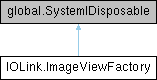
Public Member Functions | |
| ImageViewFactory (global::System.IntPtr cPtr, bool cMemoryOwn) | |
| void | Dispose () |
Static Public Member Functions | |
| static global::System.Runtime.InteropServices.HandleRef | getCPtr (ImageViewFactory obj) |
| static global::System.Runtime.InteropServices.HandleRef | swigRelease (ImageViewFactory obj) |
| static ImageView | ReinterpretAxes (ImageView image, params ImageDimension[] values) |
| static ImageView | Allocate (VectorXu64 shape, DataType type, ImageProperties properties, MetadataNode metadata) |
| static ImageView | Allocate (VectorXu64 shape, DataType type) |
| static ImageView | CopyInMemory (ImageView image) |
| static ImageView | CreateOnDisk (string dirPath, VectorXu64 shape, DataType type, ImageProperties properties, MetadataNode metadata) |
| static ImageView | CreateOnDisk (string dirPath, VectorXu64 shape, DataType type) |
| static ImageView | CreateOnDisk (VectorXu64 shape, DataType type, ImageProperties properties, MetadataNode metadata) |
| static ImageView | CreateOnDisk (VectorXu64 shape, DataType type) |
| static ImageView | CopyOnDisk (ImageView image) |
| static ImageView | CopyOnDisk (ImageView image, string dirPath) |
| static unsafe ImageView | FromBuffer (VectorXu64 shape, DataType type, byte[] buffer, uint bufferSize, ImageProperties properties, MetadataNode metadata) |
| static unsafe ImageView | FromBuffer (VectorXu64 shape, DataType type, byte[] buffer, uint bufferSize) |
| static ImageView | FromRandomAccess (RandomAccess accessor, MemoryLayout layout, VectorXu64 shape, DataType type, ImageProperties properties, ReadonlyMetadataNode metadata) |
| static ImageView | FromRandomAccess (RandomAccess accessor, MemoryLayout layout, VectorXu64 shape, DataType type) |
| static ImageView | FromRandomAccess (RandomAccess accessor, VectorXu64 shape, DataType type, ImageProperties properties, ReadonlyMetadataNode metadata) |
| static ImageView | FromRandomAccess (RandomAccess accessor, VectorXu64 shape, DataType type) |
| static ImageView | FromImageView (ImageView view, ReadonlyImageProperties properties, ReadonlyMetadataNode metadata) |
| static ImageView | Uniform (VectorXu64 shape, DataType type, System.Object value, ImageProperties properties, ReadonlyMetadataNode metadata) |
| static ImageView | Uniform (VectorXu64 shape, DataType type, System.Object value) |
| static ImageView | AdaptDynamicRange (ImageView view, DataType type, Vector2d inputRange, Vector2d outputRange) |
| static ImageView | AdaptDataType (ImageView view, DataType type) |
| static ImageView | ExtractChannel (ImageView view, uint idxChannel) |
| static ImageView | ExtractRegion (ImageView view, RegionXu64 region) |
| static ImageView | ExtractAdjustedRegion (ImageView view, RegionXu64 region) |
| static ImageView | Stack (MultiImageView view, ImageDimension newDimension) |
| static ImageView | Stack (MultiImageView view) |
| static ImageView | Stack (MultiImageView view, ImageDimension newDimension, uint threadCount) |
| static ImageView | AssembleChannels (ImageView image) |
| static ImageView | DisassembleChannels (ImageView image) |
| static ImageView | Interlace (MultiImageView multiView, ImageInterpretation newInterpretation, bool hasAlpha) |
| static ImageView | Interlace (MultiImageView multiView) |
| static ImageView | Reinterpret (ImageView image, ImageType newImageType) |
| static ImageView | ReinterpretAxes (ImageView image, ImageDimension[] dimensionsList, uint count) |
| static ImageView | SubSample (ImageView image, uint step) |
| static ImageView | Flip (ImageView image, ImageDimension dimension) |
| static ImageView | Flip (ImageView image, uint dimensionIndex) |
| static ImageView | MakeThreadSafe (ImageView image) |
| static ImageView | AttachLut (ImageView src, LookUpTable lut) |
| Attach a look-up table to an ImageView. | |
| static ImageView | FromTensor (TensorView src, ImageType interpretation) |
| Create an ImageView from a TensorView with specified axes interpretation. | |
| static ImageView | FromTensor (TensorView src) |
| Create an ImageView from a TensorView. | |
Protected Member Functions | |
| virtual void | Dispose (bool disposing) |
Protected Attributes | |
| bool | swigCMemOwn |
This factory is aimed at creating dataset views. By default, ImageViews returned by this factory are not thread safe. Only #makeThreadSafe method allows to apply threadsafety guarantee on an ImageView.
|
inlinestatic |
Creates an ImageView from another view with given type. No memory is allocated by this operation. Capabilities of returned ImageView will depend on original ImageView, and will be restricted to (see #ImageCapability):
| view | The source image |
| type | The target datatype |
| InvalidArgument | If the view is null |
| InvalidArgument | If properties of input ImageView are not valid |
| InvalidArgument | If type cardinality is different of original type |
| InvalidArgument | If given type is not numeric |
| Error | if Input view does not support READ capability |
|
inlinestatic |
Creates an ImageView from another view with given type by mapping dynamic range. No memory is allocated by this operation. Capabilities of returned ImageView will depend on original ImageView, and will be restricted to (see #ImageCapability):
No clamp are done for values outside of type admissible values. Invalid ranges may lead to overflow
| view | Input view |
| type | Requested data type |
| inputRange | Range of data in input view |
| outputRange | Requested output range |
| InvalidArgument | If the view is null |
| InvalidArgument | If properties of input ImageView are not valid |
| InvalidArgument | If type cardinality is different of original type |
| InvalidArgument | If given type is not numeric |
| Error | if Input view does not support READ capability |
|
inlinestatic |
Creates a memory image with the given shape and type. Memory is allocated by this operation. Returned ImageView has following capabilities (see #ImageCapability):
| shape | The shape of the image (its dimension and sizes in all dimensions) |
| type | The type of data contained in that view. |
|
inlinestatic |
Creates a memory image with the given shape and type. Memory is allocated by this operation. Returned ImageView has following capabilities (see #ImageCapability):
| shape | The shape of the image (its dimension and sizes in all dimensions) |
| type | The type of data contained in that view. |
| properties | Properties to set to the allocated ImageView. If null, default properties are generated. |
| metadata | Metadata to set to the allocated ImageView |
| Error | If given properties are not compatible with given shape and type |
Adapt a N dimensions scalar ImageView into a N-1 dimensions vectorial one. No memory is allocated by this operation. Capabilities of returned ImageView will be restricted to (see #ImageCapability):
| image | The source ImageView |
| InvalidArgument | If the image is null |
| InvalidArgument | If properties of input ImageView are not valid |
| Error | If original ImageView does not support READ capability |
|
inlinestatic |
Attach a look-up table to an ImageView.
This will add an adapter to the source ImageView that will delegate all operation to the source, but will have an attached LUT, using the extension.
| src | ImageView to attach the LUT |
| lut | LookUpTable to attach |
| InvalidArgument | If the image does not support READ capability |
Copy given image in memory. Memory is allocated by this operation. Data from original ImageView (if not in memory) are duplicated. Returned ImageView has following capabilities (see #ImageCapability):
| image | Image to load |
| InvalidArgument | If the source is null |
| Error | If the input ImageView does not support READ capability |
| InvalidArgument | If properties of input ImageView are not valid |
Load an image data into a temporary raw file on disk. The file is created in usual temporary directory and will be automatically deleted from disk when the instance of the returned ImageView is deleted. Samples are copied chunk by chunk to optimize memory consumption. Maximum chunk size is 1MB. No memory is allocated by this operation, only disk space is used. Returned ImageView has following capabilities (see #ImageCapability):
| image | ImageView to load on disk |
| InvalidArgument | If the image is null |
| InvalidArgument | If the image does not support READ capability |
| InvalidArgument | If properties of input ImageView are not valid |
|
inlinestatic |
Load an image data into a temporary raw file on disk. The file will be removed from disk when the instance of the returned ImageView is deleted. Samples are copied chunk by chunk to optimize memory consumption. Maximum chunk size is 1MB. No memory is allocated by this operation, only disk space is used. Returned ImageView has following capabilities (see #ImageCapability):
| image | ImageView to load on disk |
| dirPath | path where temporary file is created (must exist) |
| InvalidArgument | If the image is null |
| InvalidArgument | If the image does not support READ capability |
| InvalidArgument | if given directory path does not exist |
| InvalidArgument | If properties of input ImageView are not valid |
|
inlinestatic |
Create an image with the data stored into a temporary file (in given folder) on disk in raw. No memory is allocated by this operation, only disk space is used. Returned ImageView has following capabilities (see #ImageCapability):
| dirPath | the path to the folder where the temporary file will be created |
| shape | The shape of the image (its dimension and sizes in all dimensions) |
| type | The type of data contained in that view. |
| InvalidArgument | if given directory path does not exist |
|
inlinestatic |
Create an image with the data stored into a temporary file (in given folder) on disk in raw. No memory is allocated by this operation, only disk space is used. Returned ImageView has following capabilities (see #ImageCapability):
| dirPath | the path to the folder where the temporary file will be created |
| shape | The shape of the image (its dimension and sizes in all dimensions) |
| type | The type of data contained in that view. |
| properties | Properties to set to the allocated ImageView |
| metadata | Metadata to set to the allocated ImageView |
| Error | if given properties are not compatible with given shape and type |
| InvalidArgument | if given directory path does not exist |
|
inlinestatic |
Create an image with the data stored into a temporary file on disk in raw. No memory is allocated by this operation, only disk space is used. Returned ImageView has following capabilities (see #ImageCapability):
| shape | The shape of the image (its dimension and sizes in all dimensions) |
| type | The type of data contained in that view. |
|
inlinestatic |
Create an image with the data stored into a temporary file on disk in raw. No memory is allocated by this operation, only disk space is used. Returned ImageView has following capabilities (see #ImageCapability):
| shape | The shape of the image (its dimension and sizes in all dimensions) |
| type | The type of data contained in that view. |
| properties | Properties to set to the allocated ImageView |
| metadata | Metadata to set to the allocated ImageView |
| Error | if given properties are not compatible with given shape and type |
Adapt a N dimensions vectorial ImageView into a N+1 dimensions scalar one. No memory is allocated by this operation. Capabilities of returned ImageView will be resctriced to (see #ImageCapability):
| image | The source ImageView |
| InvalidArgument | If the image is null |
| InvalidArgument | If view already contains a CHANNEL dimension |
| InvalidArgument | If properties of input ImageView are not valid |
| Error | If original ImageView does not support READ capability |
|
inlinestatic |
Creates an ImageView of given region from given view, packing flat dimensions. Returned ImageView can potentially have a dimension count lesser than original one. It will depend on the required region. If one (or more) dimension of this region has its size equal to 1, this dimension will be skipped in returned ImageView. No memory is allocated by this operation. Capabilities of returned ImageView will depend on original ImageView, and will be restricted to (see #ImageCapability):
| view | Original view on which we want to create a sub-region view |
| region | Region of the original view that we want to isolate to create a new view |
| InvalidArgument | If the view is null |
| Error | If input ImageView has nor READ capability |
| InvalidArgument | If properties of input ImageView are not valid |
| InvalidArgument | If required region is empty |
|
inlinestatic |
Returns an ImageView from another view containing only given channel Index (useful when channel is not clearly identified). No memory is allocated by this operation. Capabilities of returned ImageView will depend on original ImageView, and will be restricted to (see #ImageCapability):
| view | Original view on which we want to isolate given channel |
| idxChannel | Channel index between 0 and dataType dimension - 1 |
| InvalidArgument | If the view is null |
| InvalidArgument | If requested channel index does not exist |
| InvalidArgument | If properties of input ImageView are not valid |
| Error | If input image does not support READ capability |
|
inlinestatic |
Creates an ImageView of given region from given view. No memory is allocated by this operation. Capabilities of returned ImageView will depend on original ImageView, and will be restricted to (see #ImageCapability):
| view | Original view on which we want to create a sub-region view |
| region | Region of the original view that we want to isolate to create a new view |
| InvalidArgument | If the view is null |
| Error | If input ImageView has nor READ capability |
| InvalidArgument | If properties of input ImageView are not valid |
| InvalidArgument | if required region is empty |
|
inlinestatic |
Flip an ImageView following the given dimension. No memory is allocated by this operation. Capabilities of returned ImageView will be resctriced to (see #ImageCapability):
| image | ImageView to flip |
| dimension | ImageDimension used for flipping |
| InvalidArgument | If the image is null |
| Error | If input image does not support READ capability |
| InvalidArgument | If image type is not known |
| InvalidArgument | If properties of input ImageView are not valid |
| InvalidArgument | If image does not contain given dimension |
Flip an ImageView following the given dimension. No memory is allocated by this operation. Capabilities of returned ImageView will be resctriced to (see #ImageCapability):
| image | ImageView to flip |
| dimensionIndex | Dimension index used for flipping |
| InvalidArgument | If the image is null |
| Error | If input image does not support READ capability |
| InvalidArgument | If properties of input ImageView are not valid |
| InvalidArgument | if dimension count of given image is lesser than given dimension index |
|
inlinestatic |
Creates an image from existing buffer. No memory is allocated by this operation. Returned ImageView has following capabilities (see #ImageCapability):
| shape | Shape of image |
| type | Type of image |
| buffer | User buffer. Should have at least a size of shape[0]*shape[1]*...*dataType.byteCount() buffer is not handled by this view and the user should carefully manage buffer and view lifetime. |
| bufferSize | Size of the buffer in bytes. |
|
inlinestatic |
Creates an image from existing buffer. No memory is allocated by this operation. Returned ImageView has following capabilities (see #ImageCapability):
| shape | Shape of image |
| type | Type of image |
| buffer | User buffer. Should have at least a size of shape[0]*shape[1]*...*dataType.byteCount() buffer is not handled by this view and the user should carefully manage buffer and view lifetime. |
| bufferSize | Size of the buffer in bytes. |
| properties | Properties of image. If null, image will build a default set of properties. |
| metadata | Metadata of image. |
| InvalidArgument | |
| Error | If given properties are not compatible with given shape and type |
|
inlinestatic |
Allows to apply specific properties and metadata to a ImageView without impact on originals. No memory is allocated by this operation. Returned ImageView has the same capabilities than original ImageView.
| view | Input view |
| properties | The new properties used by the returned image view. If null, the returned image view uses a clone of the input view properties. |
| metadata | The new metadata used by the returned image view (can be null). |
| InvalidArgument | If the view is null |
| Error | if given properties are not compatible with given shape and type |
|
inlinestatic |
Create an image from a RandomAccess. No memory is allocated by this operation. Returned ImageView has following capabilities (see #ImageCapability):
| accessor | The RandomAccess from which reading data |
| layout | The memory layout to use |
| shape | The shape of the image to create |
| type | The data type of the image |
| InvalidArgument | if accessor is null |
|
inlinestatic |
Create an image from a RandomAccess. No memory is allocated by this operation. Returned ImageView has following capabilities (see #ImageCapability):
| accessor | The RandomAccess from which reading data |
| layout | The memory layout to use |
| shape | The shape of the image to create |
| type | The data type of the image |
| properties | The properties to attach to the image. If null, default properties are generated. |
| metadata | A set of metadata to attach to the image |
| InvalidArgument | if accessor is null |
| InvalidArgument | if accessor size is not compatible with given shape and type |
| Error | If given properties are not compatible with given shape and type |
|
inlinestatic |
Create an image from a given RandomAccess. No memory is allocated by this operation. Returned ImageView has following capabilities (see #ImageCapability):
| accessor | The RandomAccess from which reading data |
| shape | The shape of the image to create |
| type | The data type of the image |
| InvalidArgument | if accessor is null |
| Error | if the storage cannot contain a raw image with given shape and datatype |
|
inlinestatic |
Create an image from a given RandomAccess. No memory is allocated by this operation. Returned ImageView has following capabilities (see #ImageCapability):
| accessor | The RandomAccess from which reading data |
| shape | The shape of the image to create |
| type | The data type of the image |
| properties | The properties to attach to the image. If null, default properties are generated. |
| metadata | A set of metadata to attach to the image |
| InvalidArgument | if accessor is null |
| Error | if the storage cannot contain a raw image with given shape and datatype |
| Error | if given properties are not compatible with given shape and type |
|
inlinestatic |
Create an ImageView from a TensorView.
No memory is allocated by this operation. The capabilities of the returned ImageView will depend on the source TensorView.
| src | The source TensorView |
| InvalidArgument | If the source is null |
|
inlinestatic |
Create an ImageView from a TensorView with specified axes interpretation.
No memory is allocated by this operation. The capabilities of the returned ImageView will depend on the source TensorView.
| src | The source TensorView |
| interpretation | The axes interpretation to apply to the ImageView |
| InvalidArgument | If the source is null |
|
inlinestatic |
Interlace frames of a MultiImageView into an ImageView. No memory is allocated by this operation. Capabilities of returned ImageView will depend on capabilities of ImageViews contained in the multiImageView, and be resctriced to (see #ImageCapability):
| multiView | MultiImageView which contains ImageViews to interlace |
| InvalidArgument | If the image is null |
| InvalidArgument | If multiImageView contains incompatible ImageViews (different shape or datatypes) |
| InvalidArgument | If one frame from multiImageView contains a CHANNEL dimension |
| InvalidArgument | If type of at least one frame is not scalar |
|
inlinestatic |
Interlace frames of a MultiImageView into an ImageView. No memory is allocated by this operation. Capabilities of returned ImageView will depend on capabilities of ImageViews contained in the multiImageView, and be resctriced to (see #ImageCapability):
| multiView | MultiImageView which contains ImageViews to interlace |
| newInterpretation | interpretation to set for the interlaced ImageView (default is UNKNOWN) |
| hasAlpha | indicates if the interlaced ImageView contains an Alpha channel (default is FALSE) |
| InvalidArgument | If the image is null |
| InvalidArgument | If multiImageView contains incompatible ImageViews (different shape or datatypes) |
| InvalidArgument | If one frame from multiImageView contains a CHANNEL dimension |
| InvalidArgument | If type of at least one frame is not scalar |
Make an ImageView threadsafe. No memory is allocated by this operation. Capabilities of returned ImageView will be the same than original image's.
| image | ImageView to make threadsafe |
| InvalidArgument | If the image is null |
|
inlinestatic |
Reinterpret an ImageView with a new ImageTypeId. No memory is allocated by this operation. Capabilities of returned ImageView will depend on capabilities of input ImageView and be resctriced to (see #ImageCapability):
| InvalidArgument | If the image is null |
| Error | If ImageType is incompatible with ImageView dimension |
| image | ImageView whose interpretation must be changed |
| newImageType | Image interpretation to apply to image |
| InvalidArgument | If the image is null |
| InvalidArgument | If the image does not support READ capability |
| InvalidArgument | If properties of input ImageView are not valid |
| Error | If new imageType is not comparible with given ImageView |
|
inlinestatic |
Reinterpret an ImageView by identifying each dimension (axis). No memory is allocated by this operation. Capabilities of returned ImageView will depend on capabilities of input ImageView and be resctriced to (see #ImageCapability):
| image | ImageView to reinterpret |
| dimensionsList | Ordered list of dimensions to affect to ImageView |
| count | Number of elements in the given list |
| InvalidArgument | If the image is null |
| Error | If dimensionsList size does not match with image dimension. |
| InvalidArgument | If properties of input ImageView are not valid |
| InvalidArgument | If the image does not support READ capability |
|
inlinestatic |
Creates an ImageView from a multiImageView by agglomerating frames into a new unidentified dimension. No memory is allocated by this operation. Capabilities of returned ImageView will depend on original ImageViews contained in MultiImageView, and will be restricted to (see #ImageCapability):
threadCount as argument. | view | MultiImage view which contains frames of same format and shape |
| InvalidArgument | If the view is null |
| InvalidArgument | If there is no frame in the MultiImageView |
| InvalidArgument | if all frames don't have same shape and datatype |
|
inlinestatic |
Creates an ImageView from a multiImageView by agglomerating frames into a new given dimension. No memory is allocated by this operation. Capabilities of returned ImageView will depend on original ImageViews contained in MultiImageView, and will be restricted to (see #ImageCapability):
threadCount as argument. | view | MultiImage view which contains frames of same format and shape |
| newDimension | interpretation of the new dimension to create |
| InvalidArgument | If the view is null |
| InvalidArgument | if all frames don't have same shape and datatype |
| InvalidArgument | if given new dimension already exist in given frames |
| InvalidArgument | if all frames don't have the same interpretation of axes |
|
inlinestatic |
Creates an ImageView from a multiImageView by agglomerating frames into a new given dimension. No memory is allocated by this operation. Capabilities of returned ImageView will depend on original ImageViews contained in MultiImageView, and will be restricted to (see #ImageCapability):
| view | MultiImage view which contains frames of same format and shape |
| newDimension | interpretation of the new dimension to create |
| threadCount | Number of threads to use for DataAccess |
| InvalidArgument | If the view is null |
| InvalidArgument | If there is no frame in the MultiImageView |
| InvalidArgument | if all frames don't have same shape and datatype |
| InvalidArgument | if given new dimension already exist in given frames |
| InvalidArgument | if all frames don't have the same interpretation of axes |
Create a sub-sampled imageView from original. No memory is allocated by this operation. Capabilities of returned ImageView will be resctriced to (see #ImageCapability):
| image | ImageView to sub-sample |
| step | level of sub-sampling to apply |
step samples of original ImageView. A step of 1 will give the same Image as the original | InvalidArgument | If the image is null |
| InvalidArgument | If properties of input ImageView are not valid |
| InvalidArgument | If step is 0 or not compatible with ImageView shape |
| Error | If input image does not support READ capability |
|
inlinestatic |
Create an image with uniform value. No memory is allocated by this operation. Returned ImageView has following capabilities (see #ImageCapability):
| shape | The shape of the image (its dimension and sizes in all dimensions) |
| type | The type of data contained in that view. |
| value | Buffer should correspond to given DataType. If null is given, image is filled with zeros. |
|
inlinestatic |
Create an image with uniform value. No memory is allocated by this operation. Returned ImageView has following capabilities (see #ImageCapability):
| shape | The shape of the image (its dimension and sizes in all dimensions) |
| type | The type of data contained in that view. |
| value | Buffer should correspond to given DataType. If null is given, image is filled with zeros. |
| properties | Optional properties. If null, default properties are generated. |
| metadata | Optional metadata. If null, no metadata are generated. |
| InvalidArgument | If given properties are not compatible with given shape and type |
 1.9.8
1.9.8