 |
IOLink C# 1.16.1
|
|
IOLink C# 1.16.1
|
Public Member Functions | |
| MetadataNode (global::System.IntPtr cPtr, bool cMemoryOwn) | |
| void | Dispose () |
| System.Collections.Generic.IEnumerator< MetadataNode > | GetEnumerator () |
| MetadataNode (string key, VariantDataValue value) | |
| MetadataNode (MetadataNode other) | |
| MetadataNode | Clone () |
| string | GetKey () |
| VariantDataValue | GetValue () |
| uint | GetChildCount () |
| Return the children's count of this node. | |
| bool | HasChild (string key) |
| ReadonlyMetadataNode | Child (string key) |
| void | AddChild (MetadataNode child) |
| void | RemoveChild (string key) |
| string | ToString () |
| Return a string representation. | |
| string | PrettyPrint (SWIGTYPE_p_PrettyPrintOptions options) |
| MetadataNode | DeepClone () |
Static Public Member Functions | |
| static global::System.Runtime.InteropServices.HandleRef | getCPtr (MetadataNode obj) |
Protected Member Functions | |
| virtual void | Dispose (bool disposing) |
Properties | |
| string | Key [get] |
The key associated with this MetadataNode | |
| VariantDataValue | Value [get] |
The key value with this MetadataNode | |
| uint | ChildCount [get] |
The number of children of this MetadataNode | |
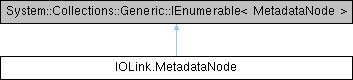
Class which represents one node from a metadata tree. Each node contains a key and also an associated value (optional). It also contains a list of nodes which represents its children in the tree. Children can be parsed using '(Const)MetadataNodeIterator' objects provided by '(c)begin' and '(c)end' methods, or directly can be retrieved thanks to 'child' accessor method.
|
inline |
Constructor which takes a mandatory key, and an optional value.
| key | string which identifies the node |
| value | VariantDataValue object associated to the key (or null) |
|
inline |
Add a node as child. If the given child key already exists in the current node, existing child is replaced by new one
| child | node to add as child to the current node |
|
inline |
Return the child node with the given key.
| key | the key corresponding to one of the children of current node |
| Error | If the key is not found in the children of the current node |
|
inline |
Method to clone the current node Associated VariantDataValue is not cloned, but shared between the original and the clone.
|
inline |
Method to clone the current node and all its children Associated VariantDataValues are not cloned, but shared between the original and the clone.
|
inline |
Accessor to the key of the current node
|
inline |
Accessor to the value of the current node
|
inline |
Indicate if a child identified by its key is present or not.
| key | the key corresponding to a child or not of current node |
|
inline |
Formats and returns a string representation of a metadata tree. This function recursively traverses a metadata tree and generates a formatted string representation of its structure and values. The formatting is controlled by the provided PrettyPrintOptions, which specify options such as maximum depth, indentation size, and whether to display values or types.
| options | The configuration options for controlling the formatting of the output. These options include maximum depth, value display preferences, and string truncation settings. |
|
inline |
Remove child identified by its key
| key | Key whose node must be removed |
 1.9.8
1.9.8